Microsoft Copilot is not something for the future, it is already embedded within Business Central, and it is changing how finance teams, sales departments, and operations managers get work done.
However a thing has come to my mind after reading a lot of community questions, that I would like to address. Having Copilot available and being ready for Copilot are two very different things.


I am sure you have read about AI-assisted workflows and seen the videos and gifs that shows you how much power they give you. Before you get too excited about these, you should be doing an honest go-through of your current setup.
Those who get's the most from Copilot are not necessarily those who hits the activate button first, it's the companies who actually prepared their environment before they enabled it.
To help you figure out where you are in that process, I have created a practical checklist you can read through and use within your company.
Are You Actually Running Business Central Online?
When you acquire a license for Business Central, Copilot is automatically included. There no premium tier you have to unlock or an add-on that needs a purchase. There is only one requirement that catches a lot off guard.. it's only available for Business Central Online. If you are running your Business Central instance in an on-premises or private cloud, Copilot simply won't be there.
If you are running an instance in the cloud, you must activate Copilot, as it doesn't happen by itself. An administrator (probably you) must expecitly enable the capabilities at the Copilot and agent capabilities page, read and accept the data usage terms, and finally configure which features are available to which users in your organization.
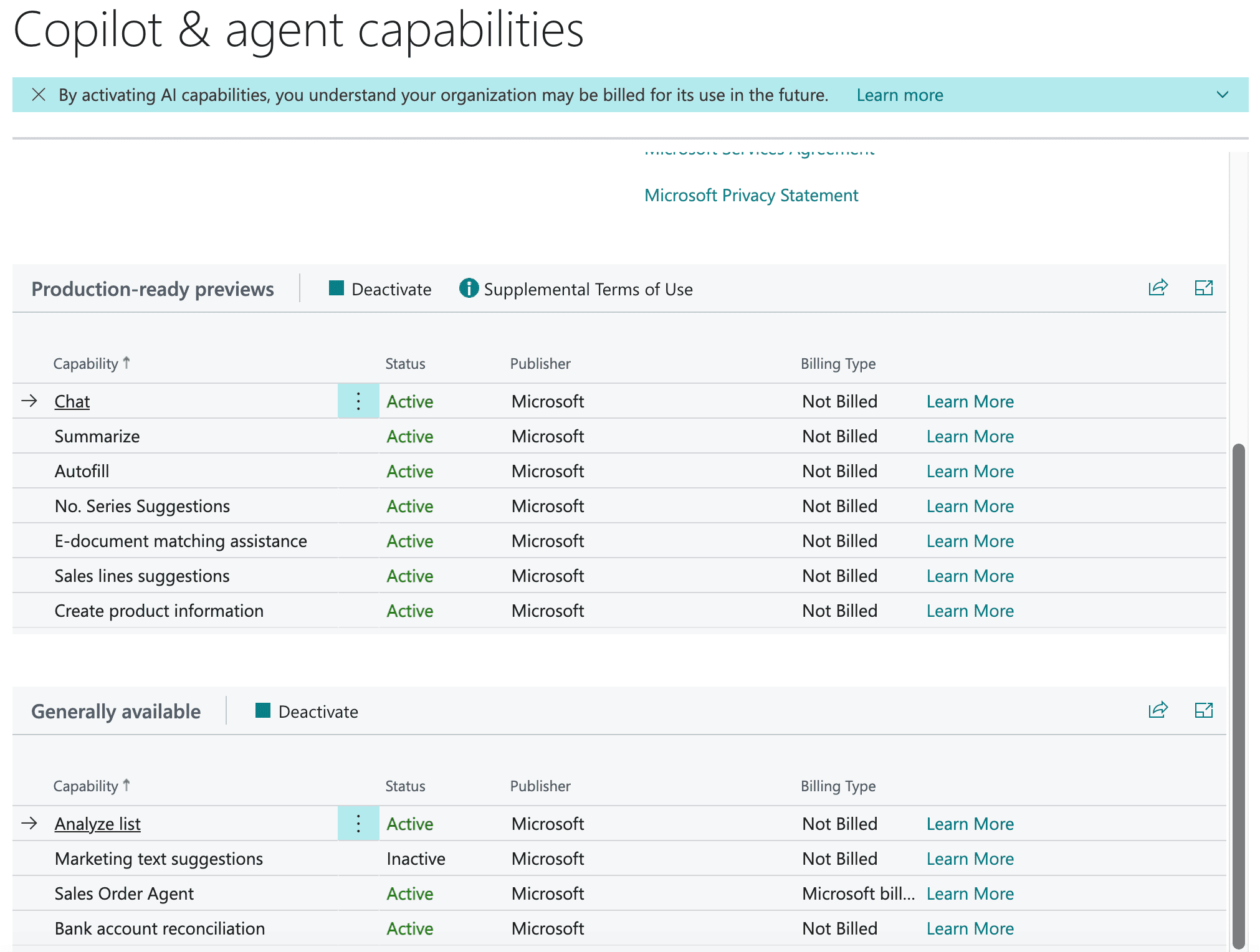
You also have to consider data movement if you are hosting your environment outside the default Azure geography.
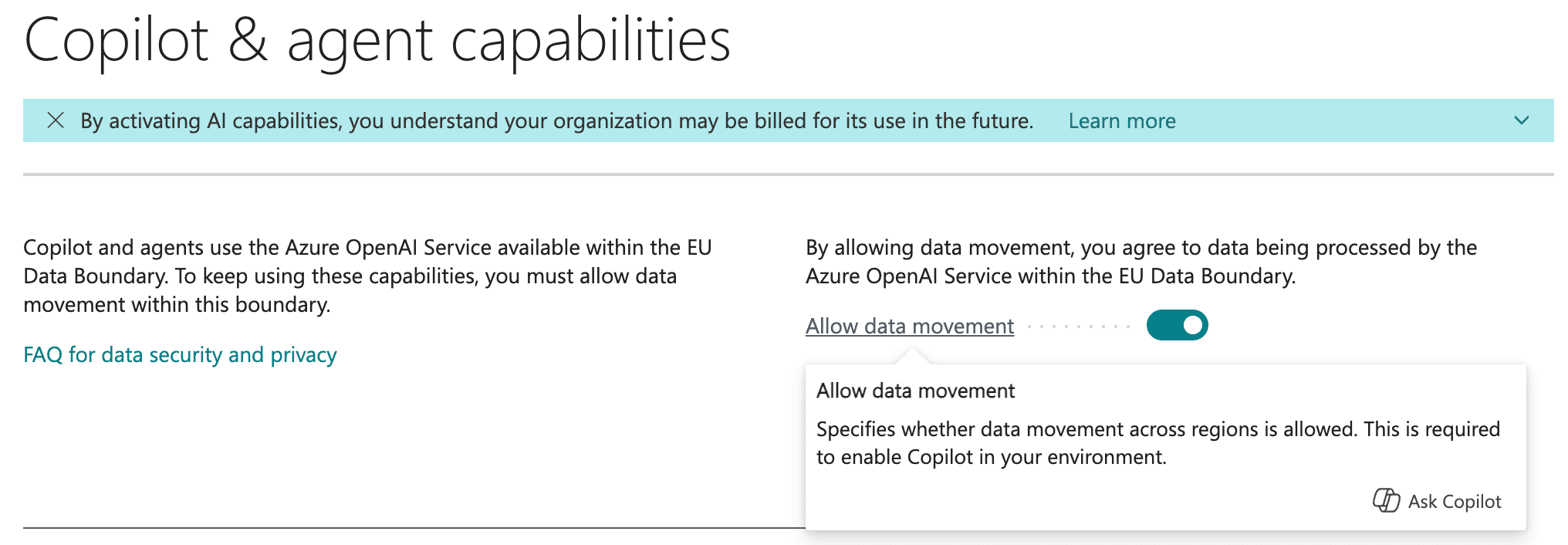
The question - Are you on Business Central Online? And has anyone in your organisation actually walked through the Copilot setup steps yet?
Is Your Data Clean Enough to Trust AI Suggestions?
Copilot is an AI agent and it can only be as good as the data you are feeding it. If we take a look at the bank reconciliation assist, it uses your historical transaction data and G/L (General Ledger) account mapping to suggest matches.
If you got a cluttered chart of accounts, your bank feeds are inconsistent, or old transactions has been posted incorrectly, Copilot will give you suggestions that you simply cannot trust. That will not help you, it will create more work..
Same thing goes for document matching and e-documents. Copilot is intelligent enough to match incoming e-invoices to your purchase orders, but only if your vendor records, item references, and document workflows are maintained. Shit in, shit out - AI will not help you change that rule, it's not possible.
What about marketing text suggestions? It's the same logic.. Copilot will generate item descriptions by pulling from your current item attributes, and categories. If you do not fill out these fields or they are inconsistent, you will have a bad output.
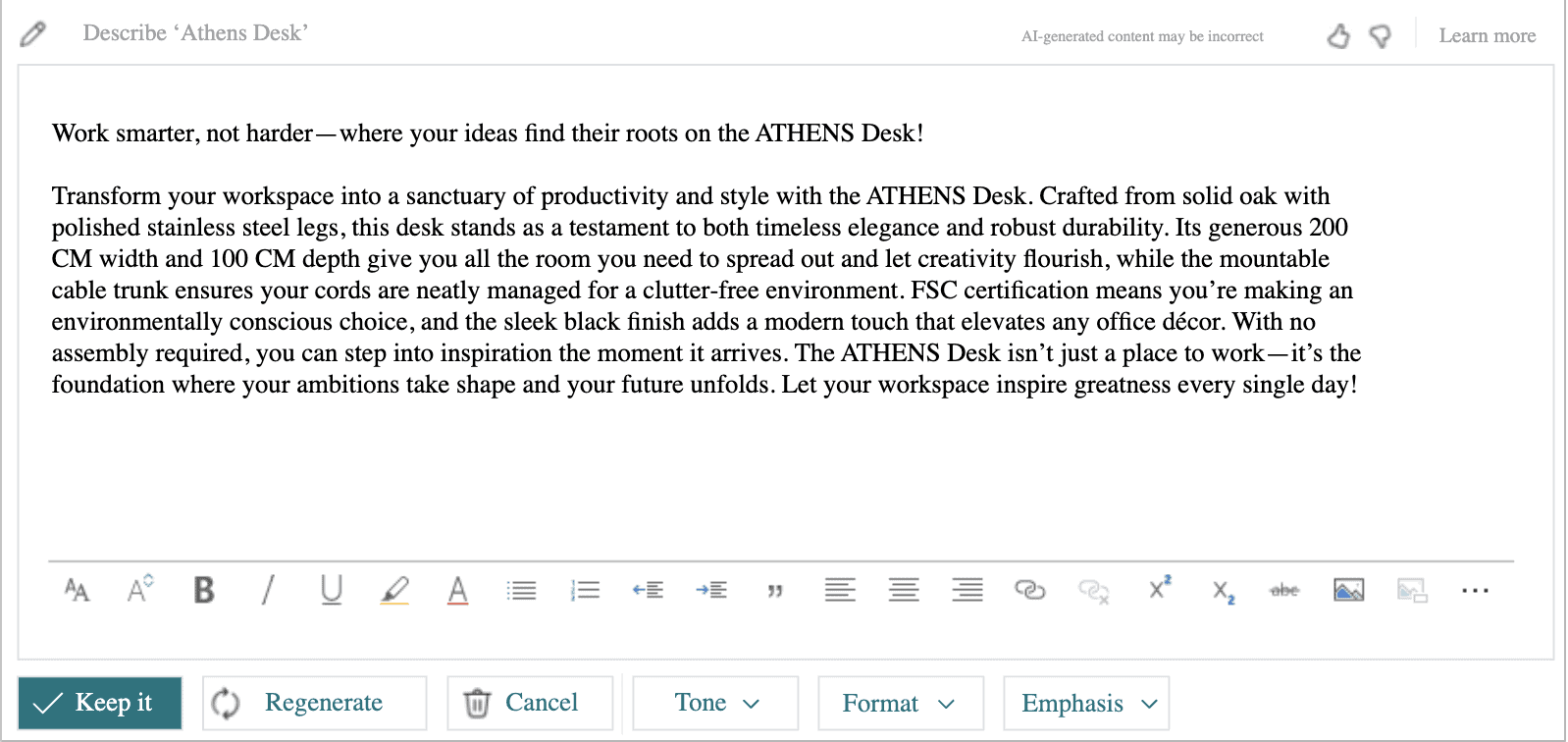
The questions you should ask.
- When was the last time you made an audit of your master data?
- Are your vendor and customer records up to date?
- Is your chart of accounts structured in a way that makes sense today, or is it cluttered with bad data (garbage) from multiple years ago?
- What about your item cards - are they filled out properly?
Are Your Processes Consistent Enough to Benefit From AI?
Microsoft differentiates between assistive and autonomous. Copilot's sales order line suggestions (the feature where it suggests items based on a customer's purchase history), and the e-document to purchase order mapping are both included in your Business Central license. These are both assistive features.
On the other hand we have the Sales Order Agent and the Payables Agent. These are agents on full auto that can interpret emails, handle attachments, and create sales or purchase documents with minimal input from a human.
Both agents are very cool (if you ask me), but they require something named Copilot Credits, which needs to be purchased separately through Microsoft Copilot Studio on a pay-as-you-go or pre-purchase basis.
If you would like to see at 20.000 feet how they work, here is an image from the official Microsoft Documentation.
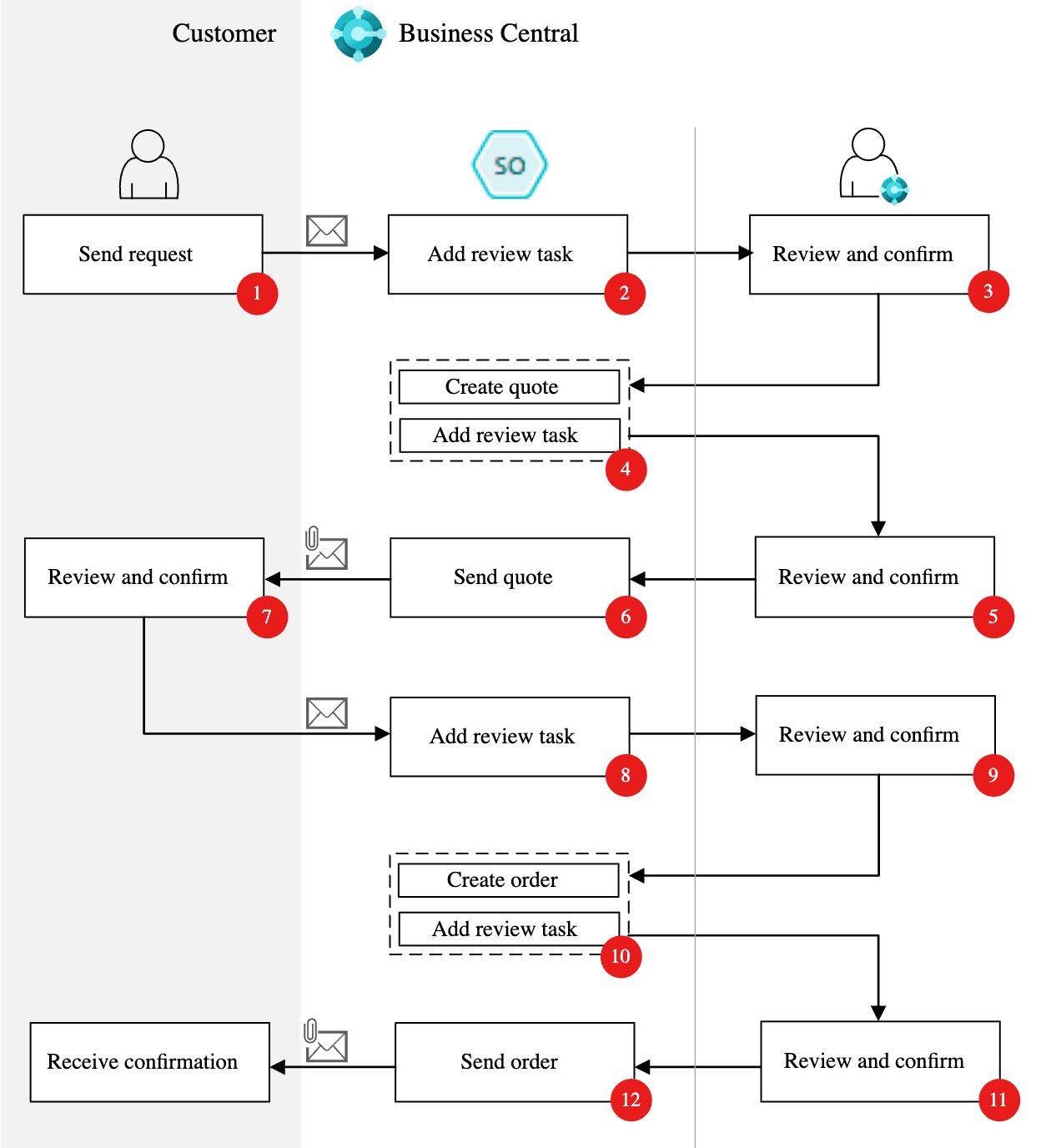
Both assistive and autonomous are features that work best when you got some clear patterns they can learn from. Here are some of my top-points you should be aware of if using these:
- Consistent item usage.
- Reliable vendor relationships.
- Orders that follow a predictable structure.
If you got a sales team working around the system or uses Business Central inconsistently, AI will have a tuff time providing any value. It's awesome at good processes, but it sucks at messy ones.
The questions - Are your sales and purchasing workflows perfectly running through Business Central, or are people still relying on spreadsheets, emails, and some manual stuff? If autonomous agents are on your radar, do you have a clear picture of what that would cost and what it would take to configure?
Are Your Users Ready to Work With AI?
One thing I often hear is that AI will replace humans.. Come on, we have heard that story so many times... Every major technological leap like the printing press, industrial machinery, the computer, the internet, etc... triggered the same fear, and every time, it turned out to be more of a reshaping than a replacement.
Same thing goes for the Copilot features in Business Central. They are designed to assist, not replace humans and their ability to judge, and that distinction matters a lot in practice. Your bank reconciliation suggestions still need to be reviewed. Marketing copy still needs a human eye before going live. Order suggestions still need approval by humans.
If your team hasn't been introduced to how these features work, what they're based on, and when to push back on a suggestion, you risk either blind acceptance (which defeats the purpose of human oversight) or outright distrust to AI (which means the feature goes unused entirely, which would be sad).
The questions - Have your finance, sales, and operations teams had any interaction with the Copilot features relevant to their roles yet? Do they understand what the AI is doing and why?
So, Where Does That Leave You?
You made it to the end, thank you for reading this far. Are you confident at every point above? If yes, you may well be ready to start getting real value Copilot in Business Central starting today.
Hesitating? You are not the only one out there. It can be your deployment type, data quality, configurations, or simply the fact that your users are not ready for this yet. I would say that it won't be a reason to put Copilot on the "backburner", I think it is a good reason to be deliberate about how you will be approaching it.
Microsoft adding Copilot to Business Central is a big shift in how your ERP can work for your organisation. But like any other small or big change to your ERP, getting there well, is more valuable that getting there fast!
If you got any gaps, fear not! Knowing where they are is the right place to start and make a plan for how you can roll out Copilot in your organisation.
References


 MikeBC
 relnotes